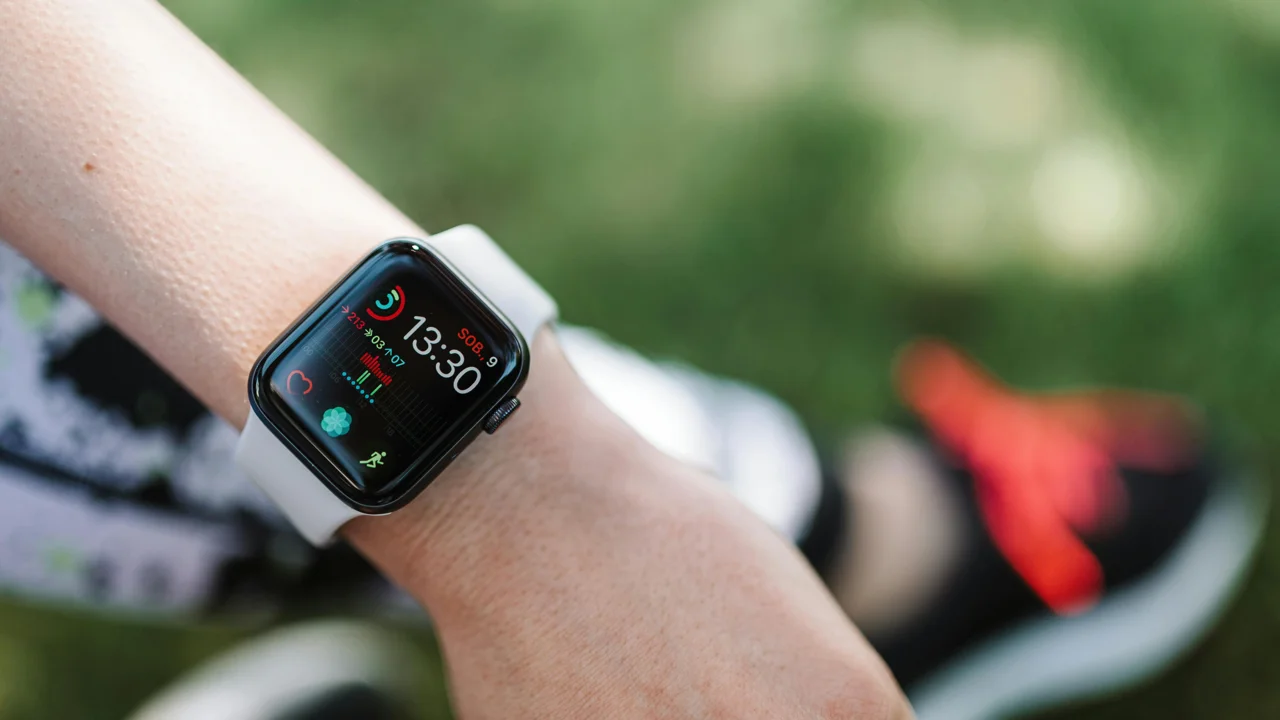
Apple Health is quietly one of the better reasons to own an iPhone. Everything your body does gets filed in one spot, including steps, heart rate, sleep, workouts, nutrition, and reproductive health, pulled in from dozens of apps and devices and owned entirely by you.
The catch is that it only knows what you tell it. If the activity tracker you actually open every day doesn’t sync with Apple Health, you end up with a fragmented picture. Your workouts sit in one app, your habit data lives somewhere else, and Apple’s Trends feature (the part that spots shifts in your health data over weeks and months) can only work with whatever made it into the database.
An activity tracker that syncs properly closes that gap. Here’s what I’d check before committing to one.
Why Apple Health Sync Actually Matters
Sync is worth caring about because some features only work when everything lands in the same place.
Apple’s Trends feature analyzes 12 metrics over rolling 90-day windows and tells you when something has shifted. You’re sleeping less. Your resting heart rate is creeping up. Your activity level dropped off two weeks ago and you hadn’t noticed. That analysis is only as good as what’s in there, and a watch on your wrist captures a narrow slice of a day. Which is also the argument for logging by hand even if you own no hardware at all, and why a phone in your pocket is enough to start.
There’s also the composability angle. Apple’s own Health app, Sleep Cycle, and a long list of medical tools can read and respond to data sitting in Apple Health. When your logging app writes to it, that data becomes available to everything else on your phone, including AI features that can query your logged history directly once it all lives together.
Two kinds of sync exist, and the difference is the whole ballgame. A read sync pulls data from Apple Health into the app, which is pleasant for seeing your step count without switching screens. A write sync pushes your logged activities back to Apple Health, which is what you need if you want them appearing in Trends, Vitals, and third-party integrations. For an activity tracker, write sync is the one that counts.
That’s the same idea behind the broader quantified self movement: your own data working together in one place instead of scattered across apps you stopped opening months ago.
5 Apps That Sync Well With Apple Health
Logly
Logly is a flexible personal activity tracker for people who want to log more than workouts. You can track custom activities across fitness, wellness, hobbies, and daily routines, and it syncs activity data both ways with Apple Health on iOS and Google Health Connect on Android.
What separates it from most trackers is breadth, which is also what makes AI analysis of your daily activity data worth anything instead of thin and obvious. Most Apple Health-connected apps pick a lane: workouts, or nutrition, or sleep. Logly lets you log a cold plunge, a meditation session, an hour of language study, a long walk that nobody would classify as exercise. All of it writes to Apple Health, so Trends works from a fuller picture of your day than a wearable can produce on its own.
The app is private by default. No feed, no leaderboards, nobody to lose to. Logly Pro adds an AI chat that surfaces patterns across your logged data, separate from whatever Apple Health notices by itself.
Best for: Logging varied activities beyond exercise and having all of it count in Apple Health. Pricing: Free; Pro subscription for AI features and advanced stats.
MyFitnessPal
MyFitnessPal has been syncing with Apple Health since long before most apps bothered. It reads and writes a wide range of data types: calories consumed, exercise calories burned, weight, water intake, and more. If nutrition tracking sits at the center of your routine, this is one of the more complete integrations you’ll find.
The sync runs both directions on most data types, though the depth of it has wobbled across iOS versions over the years. The core loop still works reliably, meaning you log food and workouts and see them reflected in Apple Health. The calorie database is enormous, and the barcode scanner is faster than anything else in the category.
The downside is heft. MyFitnessPal is a big, feature-crowded app with a premium tier that gates things you’ll probably want. If you aren’t actively tracking nutrition, most of it is dead weight, and the friction adds up.
Best for: People combining food logging with fitness tracking who want Apple Health to reflect both. Pricing: Free with significant limitations; Premium ~$20/mo.
Strava
Strava’s Apple Health integration is about workouts and nothing else: GPS routes, duration, distance, calories, heart rate from connected sensors. It writes workout sessions to Apple Health automatically once you finish recording, and it can read Health data like heart rate to fill in gaps in a GPS-tracked activity.
For endurance sports, Strava is still the center of gravity. Running, cycling, swimming, hiking, segment leaderboards, route maps, and a community that will absolutely notice if you skip a week. The Apple Health sync is solid and narrow at the same time. Strava logs workouts. It does not log anything that isn’t a workout, and it has no interest in pretending otherwise.
Best for: Runners and cyclists who want Strava’s community features and Apple Health integration for workout data. Pricing: Free; Strava Premium ~$8/mo for advanced analytics.
Bearable
Bearable is built for wellness and symptom tracking, and it’s popular with people managing chronic illness, mental health, and general health monitoring. It reads a lot from Apple Health, including sleep, heart rate, HRV, and steps, then lets you layer manual logs on top: mood, symptoms, medications, energy.
The sync is mostly one-directional. Bearable pulls from Apple Health rather than writing back to it, which limits how useful it is if you want your Bearable data feeding Trends. But if what you want is Apple Health data informing your wellness logging rather than the reverse, the integration is thoughtfully done.
Best for: People tracking symptoms, mood, or chronic health conditions alongside passive Apple Watch data. Pricing: Free; Premium ~$8/mo.
Cronometer
Cronometer is a nutrition and micronutrient tracker with one of the more rigorous food databases anywhere. Its Apple Health integration covers macros, micronutrients, and water, and it reads activity data back out of Apple Health to factor burned calories into your daily targets.
It’s less mainstream than MyFitnessPal and aimed squarely at people who care about micronutrients and want numbers they can trust. The sync works cleanly. It isn’t a general activity tracker and doesn’t want to be, but if nutrition is your primary tracking need and Apple Health integration matters, it belongs on the list.
Best for: People focused on precise nutrition tracking with Apple Health integration for activity calories. Pricing: Free; Gold ~$10/mo.
Apple Health Sync Compatibility
| App | Writes to Apple Health | Reads from Apple Health | Activity Types |
|---|---|---|---|
| Logly | Yes | Yes | Any (custom) |
| MyFitnessPal | Yes | Yes | Workouts, nutrition |
| Strava | Yes | Yes | GPS workouts only |
| Bearable | No | Yes | Wellness, symptoms |
| Cronometer | Yes | Yes | Nutrition, calories |
What About Android? Google Health Connect
On Android the equivalent is Google Health Connect, a central health data hub that shipped with Android 14 and has since become the standard integration layer for Android health apps.
The same logic carries over. An activity tracker that writes to Health Connect enriches what’s available to Google Fit, Pixel Watch, and any third-party app reading from it. Logly supports Health Connect, so the same two-way sync works whichever phone you’re carrying.
The Health Connect ecosystem is younger and thinner than Apple Health. Fewer apps support it and the third-party tooling hasn’t caught up. Google has been steadily investing in it, though, and if you’re on Android and want the centralized setup that iPhone owners get by default, this is the route.
What to Actually Look For
Two questions settle most of it. Does the app write to Apple Health, or does it only read? And which specific data types does it write?
Plenty of apps advertise Apple Health integration when what they mean is that they pull your step count and heart rate into their own dashboard. That’s not really sync in any way that helps you. You want an app that pushes your logged data out to Apple Health so everything else can use it, which is the same “own the whole picture” instinct behind a calm beginner’s guide to life logging.
After that it comes down to what you want to track, and how many different kinds of activity you want living in one place instead of scattered across five apps. Strava if your life is GPS sports. MyFitnessPal if nutrition is the point. If you’re tracking a wider spread across fitness, wellness, and personal routines, from workouts to sleep to whatever creative habit you’re trying to keep alive, Logly covers the most ground while keeping the logging itself quick.
There’s more on keeping everything in a single record in best daily activity log apps.
Logly syncs with Apple Health and Google Health Connect. One app, all your data. Try it free at getlogly.app.
Ready to start tracking?
Logly makes it easy to build lasting habits and see your progress over time. It's free to download.


Frequently asked questions
Does Logly sync with Apple Health and Google Health Connect?
Yes. Logly syncs activity data both ways with Apple Health on iOS and Google Health Connect on Android, so your manual logs and your wearable data end up in the same place. It writes to Apple Health rather than only reading from it, which means the activities you log feed Apple's Trends and become available to the other apps on your phone.
What's the difference between read sync and write sync for an activity tracker?
A read sync pulls data from Apple Health into the app, which is handy for seeing your step count or heart rate without switching screens. A write sync sends your logged activities back out to Apple Health, and that's the one that decides whether they show up in Trends, Vitals, and third-party integrations. For an activity tracker, look for write sync.
Can I log activities to Apple Health that aren't workouts?
Most Apple Health-connected apps write a narrow slice of data, usually GPS workouts or nutrition. An app built for broad logging lets you record a cold plunge, a meditation session, or a long walk that nobody would call exercise, and write all of it to Apple Health. Trends then has a fuller picture of your day than wearable data alone can give it.
Is there an Android equivalent to Apple Health for syncing activities?
Yes. Google Health Connect arrived with Android 14 and works the same way: an app that writes to it enriches the data available to Google Fit, Pixel Watch, and anything else plugged in. The ecosystem is younger than Apple Health and fewer apps support it, but it's the route to the same centralized setup on Android.